

You’re Allowed To Use More Than One AI: The Build Process No One Taught Me
I needed a roadmap to help me build things with AI. But everything I read was technical jargon that sailed over my head. Then I stumbled upon a methodology that made sense, because it turned out to be the same approach I’d always known, just applied in a brand new way. In this article I share the framework, documents, and rules I use to build and vibe code with AI.
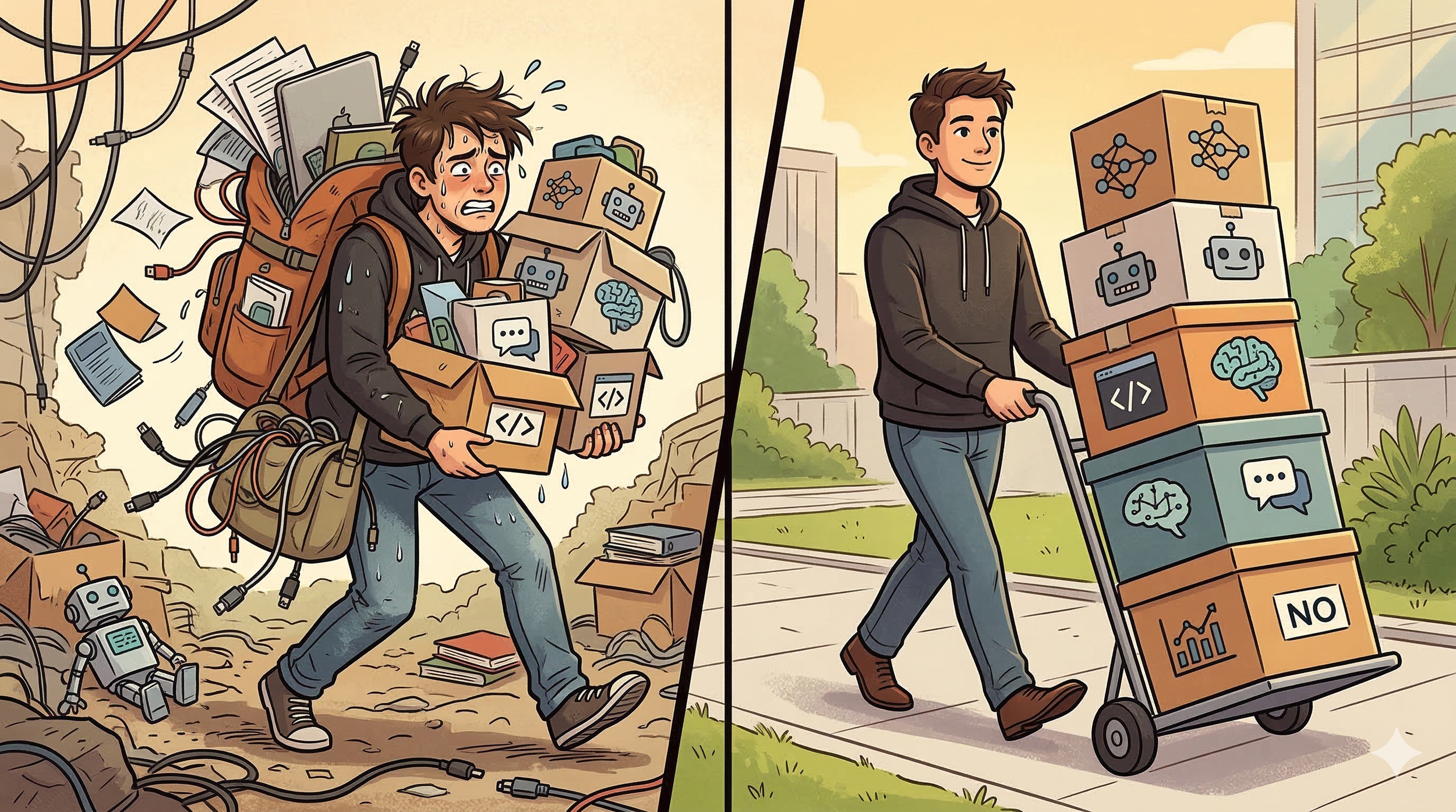
Image created by author using Google Nano Banana. Post created by author using…author’s brain.
I built a mobile app. React Native frontend. Supabase backend with PostgreSQL. GPT-4o-mini for image recognition. Row-level security. Parent and child accounts with full data isolation. And guess what? I had no idea of what any of that meant when I started.
Because I have never written a line of code in my entire life. And I don’t mean that in a humble, self-deprecating way. I mean it literally.
If you’ve read my posts before, you know my technical resume. I can do a pivot table. I once changed the startup sound on a Windows 95 computer to Gene Wilder yelling “It’s alive!” and considered that peak programming. And….yeah, that’s about it.
So how did I build an app? Not a clever, flawed prototype. Not a demo that falls apart when you tap the wrong button. An actual, functional, working app with authentication, a database, and real users.
I used a methodology that nobody taught a non-technical novice like me. I’m sharing it because I believe it can unlock a use case for AI that you probably haven’t heard of.
Two Conversations About Vibe Coding: The One You’ve Heard, And The Important One You Haven’t
Vibe coding has become a very popular topic in software developer circles, and it’s been trying to find its way into the non-technical population (aka almost everyone else). Since the conversation is being led by those that know the technical side of it, the discourse is very focused on what the tools can do. Arguments about which AI coding agent is best. Headlines about what the latest agent is capable of. Stories of weekend vibe coding retreats amongst a group of 20-something engineers. Some people love it. But to most, they might as well be speaking Greek.
But there’s a much more important conversation happening in the background that’s not really on the radar for the majority of us. For all the attempts to have tech novices try their hand at vibe coding (“I tried base44 after seeing their Super Bowl commercial”), they continue to fail. Because the more important conversation is only happening amongst developers right now. It’s about product development workflows, specifically how you bring different tools together to build something truly unique. The path from idea to application is a long one. It requires several different types of not only tools, but ways of thinking.
Developers have been figuring this out for themselves. There are blog posts and Reddit forums and GitHub repos where experienced engineers share how they use one AI to plan and a different AI to code, connected by specification documents. There’s even a name for it now: spec-driven development. This is a real thing, and a powerful one.
But here’s the problem. All of that is written by developers, for developers. It assumes you know the lingo and concepts, like what a PRD is or how to work in a terminal. It assumes you already carry the mental framework for architecture, scope, dependencies, and sequencing. They don’t spend time explaining the basics because it’s second nature to them and they don’t realize just how complicated it is.
For the rest of us? We’re promised that you can “just describe what you want and the AI will build it.” Technically, that’s true. You can describe what you want. The AI will build something. It will look good and genuinely impress you if you’ve never touched a line of code. But the second you try to change anything, the whole thing collapses. You don’t know why. And worse, the AI doesn’t know why. So you’re stuck, and you give up. The idea was great. The tech wasn’t there. You knew it wouldn’t work.
I call this the ‘Hype → Try → Kick Computer In Frustration → Delete’ Cycle of AI
That’s the trap I kept falling into. And that’s what I somehow stumbled my way into figuring out. Because I didn’t spend my time trying to learn architecture and code and PRD best practices. I just stepped back and let myself think.
You’re Allowed To Use More Than One AI
Here’s the methodology I developed. I’m going to be specific because specificity is the whole point.
I didn’t invent this. Experienced developers have done versions of this for a while now. Some use ChatGPT and Cursor. I use Claude for planning and Replit for building. The tools don’t matter because the framework is the same. But I don’t see many people applying concepts they know to tools they don’t. I know they can. Here’s what I do.
If someone wants to build a technical product (software or an app, for instance), it takes three core parties working together. I’ll call them:
The Vision Setter
The Product Manager
The Engineers
The Vision Setter has the idea they want to see come to life. But of course, they don’t know how to actually build it themselves. They need engineers to do that. Engineers know how to code and create based on nothing more than commands on a screen. It’s an amazing skillset that not many people have.
Unfortunately, many times the Engineers and Vision Setters don’t really have the most open and effective lines of communication. It’s not a personality thing as much as it is a language issue. Engineers speak code. Vision Setters speak customer. This Rosetta Stone needs a third party. They need the Product Manager.
The Product Manager speaks both languages. Maybe not fluently in every instance, but enough to translate effectively. They are the ones in the middle that refine the vision to something that can be feasibly built, and then make sure the coders stay focused on that vision and bring it to life. And yes, if you automatically think of Tom Smykowski from Office Space, that’s perfectly acceptable.
I’ve worked with enough product teams to generally know how it works. So as I started to build things for myself (typically with Replit), I noticed that I kept instinctively looking for a Product Manager. I was setting the vision. Replit was my team of engineers. But things kept getting lost in translation. I wasn’t up to the job. That’s where Claude came in.
Without meaning to, I naturally assigned Claude two jobs. First, I had Claude be my strategic partner (let’s say my Associate Vision Setter because I, the human, am the true Vision Setter). Then I turned Claude into a Product Manager. I did it in that order, and purposefully didn’t try to do it all at once.
To effectively build a product, the AI that helps you think should not be the same AI that writes your code. These are fundamentally different jobs. When you jam them together (brainstorming, iterating, building all in the same session), you get a mess. I know because I did this repeatedly before I learned my lesson.
How I Collaborate With My Team of 3
I work with each AI “team member” one at a time, step by step.
Phase 1: Vision. The very first thing I do is get all of my own thoughts onto a simple word or text document. It could be typing up notes, doodling on a legal pad and taking a picture for AI to decipher, or simply recording myself talking on my phone and then loading the transcript into Claude (this is seriously a very underrated approach). No matter the method, the concept is the same. I don’t want AI influencing my brainstorm before I’m done. So I take what’s in my head and put it on paper.
Then I have Claude take my notes and put them into a coherent, detailed framework. I review it, make revisions, and then we get to the conversation. I tell Claude to not agree just for the sake of agreement. I ask it for its honest thoughts on the idea. I tell it to ask me as many questions as it needs. AI doesn’t think like you and me. It will guess if not given enough information. So I try not to let that happen.
This goes on for a while, and I continue to revise on my own, and then with Associate Vision Setter Claude, until the vision is solid. The output of this phase is two documents: the Source of Truth (the product blueprint) and the Brand Style Guide (the design blueprint). More on both of these below.
Phase 2: Translation. I move to an entirely new chat. It’s within the same Claude Project so there is some continuity, but I don’t want to be stuck in a chat that’s running out of space.
I take the Source of Truth and Brand Style Guide from Phase 1 and give them to this Product Manager Claude. I make sure that everything we discuss going forward is grounded in what I personally decided. No guessing. No external sources that aren’t what I need.
By the end of this conversation, Claude produces two more documents: the Prompt Playbook and the Context File (aiagent.txt). I specifically have Claude write these because Claude speaks “code” better than I do. I can only describe things in language and concepts I know about. If I only describe what the user sees and interacts with, the coding agent will make a guess about how the backend should be structured, if it even does it at all. Once you actually put the product to use, it will fall apart without proper prompting. And Claude is far more qualified than I am.
Importantly, I never take the first draft at face value. I read through it and ask Claude a lot of questions. I don’t understand all the concepts, so I ask for explanations. I test hypotheses. I read through the checklists and see if those are things I actually wanted in the product. I make sure my Product Manager understands.
Phase 3: Build. What used to be the most challenging and time consuming part of the process has honestly now become the easiest. It still takes time and diligence, but I’m much less confused or frustrated. I am following the Prompt Playbook Claude built, and the Engineers are referring to the prompts and the Context File so they don’t go off course. If my build will eventually require a backend database, Claude walks me through the steps to set that up before we even start. The Product Manager sees the whole picture. It anticipates what will be done by when, and factors that into the instructions for the team.
My time is then spent on testing, again and again. After each prompt, I go through the checklist. If something is off, I tell Claude what Replit said or I share a screenshot. We iterate in real time, knowing exactly what step deviated and how to fix. And if it just doesn’t work? The step by step process allows us to revert back to the last step where everything worked. I am not pretending to be a developer or quality control expert. I’m a user, going through the checklist, telling my Product Manager what’s not quite up to spec.
The Document Stack
The whole process works because the Product Manager and Engineers are connected by four core documents. It’s not just trying to keep up with my ideas and read my mind. It’s working on aligned documents and steps that have the same structure, concepts, and context. These documents are the thing I’m most proud of, because I built this through pure trial and error. I didn’t find a blog post or a course that laid this out for me as a clueless non-developer. I just kept making mistakes and figuring out what went wrong until I had a system that worked.
Here are the documents I use, in order.
1. Source of Truth. This is the product bible. What the app does, who it’s for, how users interact with it, what the data model looks like, what decisions have been made and (this is critical) why those decisions were made. If I decided to defer a feature to v2, the Source of Truth says why, so I don’t re-argue with myself three weeks later (seriously).
2. Brand Style Guide. This is the one that nobody else includes, and it matters more than you’d think. Not just colors and fonts. Exact hex codes. Exact pixel sizes for touch targets. Exact copy strings for every UI state, including error messages and empty screens. The words the app uses and the words it never uses. If you leave this stuff vague, the coding agent guesses. And its guesses are bad. Developer-oriented frameworks skip this entirely because developers think in architecture, not brand. But if you’re building something users will actually touch, the design layer can’t be an afterthought.
3. aiagent.txt (the context file). This is the bridge. Claude takes the Source of Truth and Brand Style Guide and translates them into a single, dense, technically-oriented file that the coding agent reads at the start of every session. Tables, not paragraphs. Hex codes, not “use the brand colors.” Explicit constraints like “NEVER use the word AI in any user-facing text.” This file is the memory that coding agents don’t have. They start every session at zero. The aiagent.txt is how you give them a running start.
4. Prompt Playbook. The phased build plan. Every prompt I will paste into Replit Agent, in order, with a verification checklist after each one. Each prompt follows the same structure: context, requirements, technical details, constraints, design specs. One feature per prompt. Always. And every single prompt includes a line telling the agent not to break anything that already works. That line is not optional. I learned that one the hard way.
The reason this works is simple. Coding agents have no persistent memory. Every session starts from scratch. The documents ARE the memory. The better the documents, the fewer mistakes the agent makes, and the less time you spend debugging. The better the input, the better the output. Every time.
The Rules You Need To Follow
I introduced a process that included rules for AI to follow. But you as the (human) leader aren’t off the hook. You’re the one in charge, so you’ve got some rules too. Follow these every single time. I have spent days debugging so you don’t have to.
One feature per prompt. Never combine unrelated things. The agent can’t multitask in the way you think it can. Don’t get ahead of yourself.
Protect what already works. Every prompt in the playbook explicitly tells the agent not to modify existing screens, navigation, or functionality. Without this, the agent will cheerfully break your login screen while building your settings page. Ask me how I know.
Test on your actual device. And ideally, more than one (iOS and Android). The browser preview lies. Especially for camera, gestures, and navigation. I wasted hours on bugs that only existed in the preview and hours more on bugs that only existed on the phone.
Checkpoint after every working feature. The Prompt Playbook should have this, and the coding agent typically does this automatically. If the next prompt breaks something, roll back. This is your safety net.
Fresh chat when stuck. If the agent makes three failed attempts to fix the same issue, stop. Open a new chat with your Product Manager. Describe the problem as clearly as you can. Don’t compound the mistakes and bad assumptions the Engineer keeps making.
Be specific, not clever. Clear, direct instructions beat shorthand every time. The agent doesn’t appreciate brevity. It appreciates clarity.
What I Still Don’t Know Enough About
The backend phase is genuinely difficult. It’s one of the (many) examples of why humans need to be involved and experienced software developers still run circles around a vibe coding agent.
When you move from “the app works with fake local data” to “the app works with a real database, real user accounts, and real security,” everything changes. Authentication wiring is where most things break. Row-level security policies are subtle and easy to get wrong. With KeepSellGive, I needed parent accounts and child accounts that could only see their own data. Sounds straightforward until you realize that creating an account requires writing to the database, but the security rules say you can only write to the database if you already have an account. My head hurts thinking about it.
I spent more time on that one problem than on entire earlier phases of the build. The coding agent tried to fix it. Then tried again. Then broke something else while trying a third time. Fresh chat. Start over. Try a different approach. Eventually Claude and I worked out that we needed a special database function to handle account creation separately from the normal security rules. Problem solved. But it was not a fun afternoon.
This is the phase where you’ll feel most like giving up. Be prepared to practice patience. You’re going to be so excited, things will be rolling…and then you’ll run into a major roadblock. It’s the hardest phase for everyone, not just non-developers.
But here’s the thing. With the document stack in place, even the hard parts are manageable. Because you’re not guessing. You have a Source of Truth that tells you exactly what the data model should look like. You have a Context File that gives the coding agent the schema, the security rules, and the constraints. You have a prompt that’s been written by Claude specifically for this phase, with explicit protection clauses and verification steps.
It’s still hard. But you have a map now, not just a direction.
Why This Felt Familiar
I spent 20 years developing leaders who could translate executive strategy into tactics and actions for their teams. A great leader doesn’t come up with a half-baked idea, walk up to someone, and say “go figure it out.” They think first, describe the outcomes, define the guardrails, and translate that strategy into specific work for specific people. That’s exactly what this methodology is, except the “team” is a collection of AI agents and the “project plan” is a set of files.
I didn’t plan for my HR skills to be useful this way. But turns out, the people side of AI adoption is exactly what’s missing from the conversation.
Why I’m Sharing This
I’m not writing this to impress anyone. I’m writing it because there’s a gap that shouldn’t exist. The barrier isn’t technology or even knowledge. It’s just knowing the framework to use and the tools to help you deliver.
Developers have figured out how to use AI tools together in a structured way. But the people the tools were actually built for are still being told to “just describe what you want.” The vibe coding space is full of tool reviews and tips and “build an app in 10 minutes” videos. What it’s missing is the management layer. The methodology that turns a cool demo into something you can actually put in a user’s hands.
That’s what I figured out. And I’m sharing it because I’m genuinely excited to see what people will be able to do once they are able to overcome what they think they don’t know about AI.
